 Total Commander 10.50
Screenshots of Total Commander

Total Commander Editor's Review
Well known as a file manager replacement for Windows Explorer, Total Commander keeps surprising us with new handy features:
flat buttons on Windows XP and Vista, new file list icons, drive icons, bar icons, Lister with support for text cursor, allows to center images, and resize only larger, show drive letter in folder tabs, more options in copy overwrite dialog: Compare by content, Rename target, automatic rename, copy all smaller or all larger.
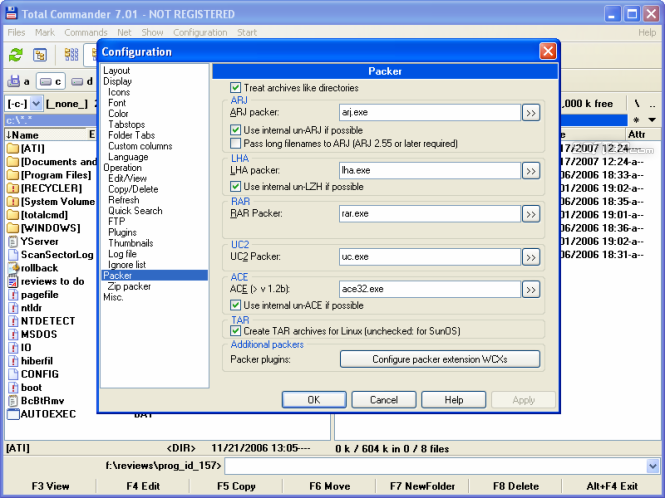
Total Commander supports ZIP, ARJ, LZH, RAR, UC2, TAR, GZ, CAB, ACE archive handling. The program is completely pluginable: the setup package comes with packer, file system, lister and content plug-ins. You can also get plug-ins for pretty much anything you wish to do: from burning disks to extracting sound and frames from AVI files.
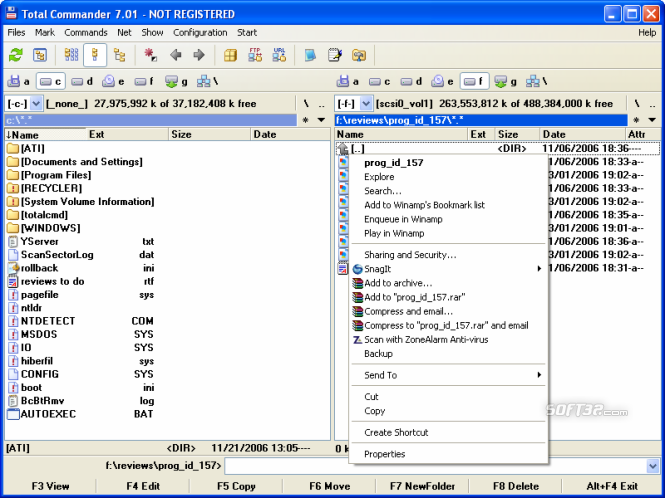
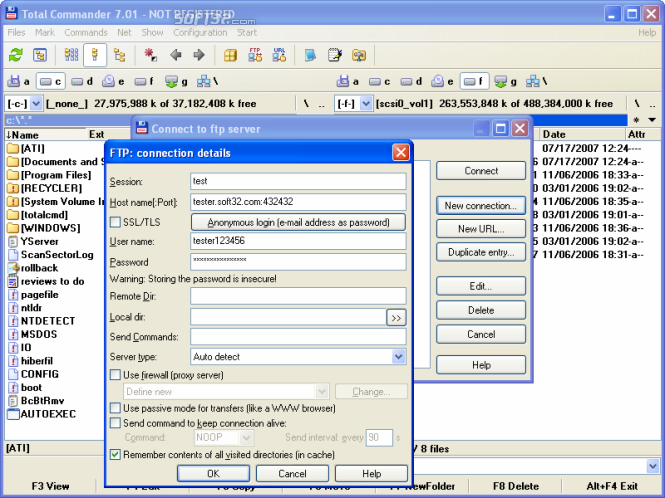
Like the old Norton Commander and Win Commander, the two file windows side by side make it very easy to copy, paste, compare directories, upload and download files to FTP servers.
Another nice feature is the fact that once the "File system plug-ins " installed, you can have access to whole file systems via the Network Neighborhood, e.g. to a PocketPC device or a Linux file partition.
The interface is very user friendly and completely customizable, from buttons to fonts.
Pluses: Customizable right click menu for Windows Explorer fans, tabbed interface, regular expression search; pluginable, built-in FTP client with FXP (server to server) and HTTP proxy support, parallel port link, multi-rename tool, tabbed interface, etc.
Drawbacks / flaws:
In conclusion: An advanced, powerful and totally configurable file management tool both for beginners and advanced users that can make your life so much easier, expecially when you're working with files on a daily basis.
Total Commander Publisher's Description
Totalcmd (former Wincmd) is a file manager replacement for Windows.
Features: Drag&Drop from and to explorer/desktop. Packer shell for
ZIP/ARJ/LHA/RAR/UC2/TAR/GZ/CAB/ACE. Command line, full text
search also in packed files, button bar. Supports 14 languages.
FTP client, access to Network Neighborhood, Uuencode/Decode,
compare by content,
Other Languages
Look for Similar Items by Category
Feedback
- If you need help or have a question, contact us
- Would you like to update this product info?
- Is there any feedback you would like to provide? Click here
Beta and Old versions
Popular Downloads
-
 Macromedia Flash 8
8.0
Macromedia Flash 8
8.0
-
 Kundli
4.5
Kundli
4.5
-
 My Talking Tom
1.0
My Talking Tom
1.0
- FastSum 1.9
-
 FastSum Standard Edition
1.6
FastSum Standard Edition
1.6
-
 Cool Edit Pro
2.1.3097.0
Cool Edit Pro
2.1.3097.0
-
 Cheat Engine
6.8.1
Cheat Engine
6.8.1
-
 Hill Climb Racing
1.0
Hill Climb Racing
1.0
-
 Windows XP Service Pack 3
Build...
Windows XP Service Pack 3
Build...
-
 C-Free
5.0
C-Free
5.0
-
 Horizon
2.9.0.0
Horizon
2.9.0.0
-
 Tom VPN
2.2.8
Tom VPN
2.2.8
- HP LaserJet 1100 Printer Drivers 4.3.2.5
-
 Mozilla Firefox
108.0...
Mozilla Firefox
108.0...
- HP WLAN 802.11a/b/g W500 2.4.1.30
-
 Iggle Pop
1.0
Iggle Pop
1.0
- HP Deskjet 5400 Series (DOT4) 9.0.0.0
- HP LaserJet 4200 PS 60.3.14.2
-
 Vector on PC
1.0
Vector on PC
1.0
-
 FormatFactory
4.3
FormatFactory
4.3